
Burger King App UK 2026 — Royal Perks, Deals & How It Works
The Burger King app is the main way to access exclusive deals, order ahead, and earn rewards through Royal Perks in the UK. This guide covers how the burger king app works, what Royal Perks actually gives you, and how to get the most from it — without repeating US-specific numbers that don’t apply here.
What Does the Burger King App Do?
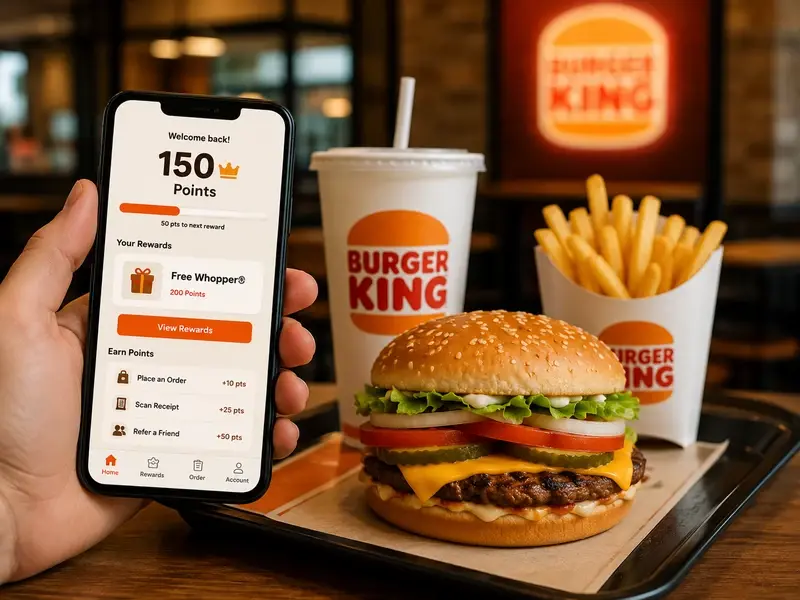
The burger king app lets you:
- Order ahead and skip the queue (Mobile Order & Pay, where available at your branch)
- Access app-exclusive deals not available in-store or via delivery platforms
- Join Royal Perks, Burger King’s loyalty programme, and earn Crowns on qualifying orders
- Find your nearest branch, check opening hours, and confirm available services (drive-thru, delivery, dine-in)
- Customise your order using Have It Your Way before you arrive
How Royal Perks Works
Royal Perks is Burger King’s free loyalty programme, accessible through the app or website. The core mechanics:
- You earn Crowns (loyalty points) on qualifying orders placed through the app
- Crowns can be redeemed for free menu items via the Rewards tab
- Separately, Offers are digital coupons available to Royal Perks members, redeemable directly at checkout.See burger king deals right now
- Typically only one reward or offer per transaction is allowed, with a cooldown period before you can redeem again
Important: exact Crown-earning rates (how many Crowns per £ spent) are confirmed for the US programme but not independently verified for the UK version at the time of writing — the ratio may differ given the different currency and market. Check the app directly after signing up to see your specific earning rate, rather than relying on any US-derived figure you might see elsewhere.
Birthday Reward
Adding your birthday to your Royal Perks profile typically unlocks a free item during your birthday month — a genuine, no-effort perk. Exact eligible items can vary, so check your app once your birthday month arrives to see current options.
How to Download and Sign Up
Step 1: Download
The Burger King app is available free on iOS (App Store) and Android (Google Play).
Step 2: Join Royal Perks
Sign-up is free and typically done directly in the app, or via the Burger King website. Registration is required to earn or redeem Crowns.
Step 3: Start Ordering
Once signed up, use the app to browse the menu, apply Offers, and place orders for pickup or, where available, delivery — earning Crowns as you go.For a full step-by-step walkthrough of ordering in-store or via drive-thru, see our full step-by-step walkthrough.
Does the App Cost Anything?
No — downloading the burger king app and joining Royal Perks is completely free. There’s no subscription fee; you only pay for the food you order.
FAQs — Burger King App UK
Is the Burger King app free to download?
Yes — the app and Royal Perks membership are both free, with no subscription cost.
Does the Burger King app work at every UK location?
Most UK locations support the app, though some features (like Mobile Order & Pay) may not be available everywhere. Use the in-app store finder to check what’s available near you.
How many Crowns do I earn per order?
This isn’t independently confirmed for the UK programme at the time of writing — check the app directly after signing up, since UK earning rates may differ from the US version of Royal Perks.
Can I combine multiple offers on one order?
Typically no — most Royal Perks structures allow only one reward or offer redemption per transaction.
Do I earn Crowns on delivery platform orders (Uber Eats, Just Eat)?
Usually not — ordering directly through the BK app is generally the only way to guarantee Crown earning; third-party delivery platforms often don’t connect to Royal Perks.
Where do I find my Memberships or Rewards in the Burger King app?
Look for the Rewards or Royal Perks tab in the app’s main menu, usually accessed through the profile icon or bottom navigation bar. If you can’t see it, make sure you’re signed in to your Royal Perks account and that the app is updated to the latest version.
Final Thoughts
The Burger King app and Royal Perks are the most reliable way to access ongoing savings and rewards at Burger King UK — free to join, with genuine perks like birthday rewards and exclusive offers. For current live promotions, see our Deals & Offers page, and for non-app savings methods, see our Coupons guide.